Chevy Integrated Trailer Camera System
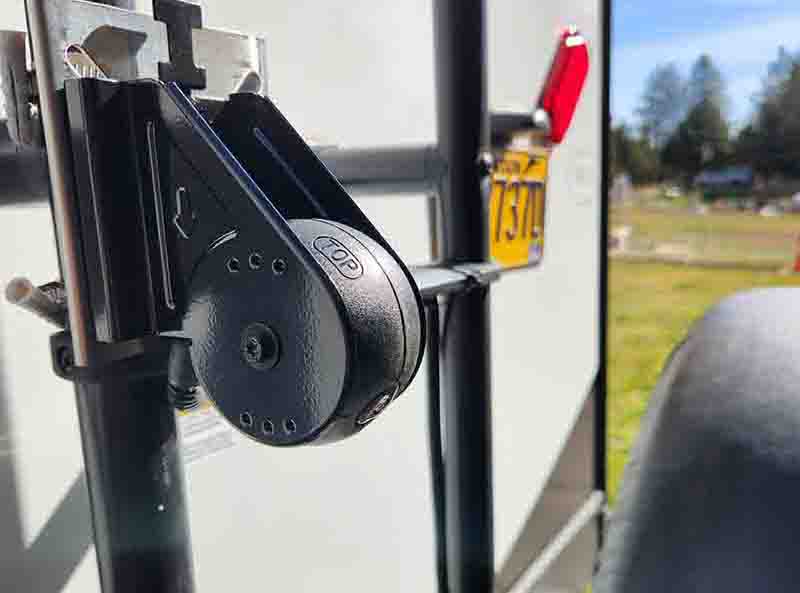
One of the best upgrades/improvements we have done to our trailer and/or truck was to install the Chevy Integrated Rear Trailer Camera System. This system is sold direct by Chevy dealers across the nation, and integrates into the stock truck infotainment system. Being integrated into the truck existing camera system has a HUGE advantage over all the other after market systems on the market. The first and foremost is all the views are broadcast through the infotainment system directly on the truck infotainment screen on the dash. No added monitor to add, and a large monitor right where it should be, and not somewhere you have to look for while driving. Using the electronics and cameras that your truck already has, this rear camera integrates seamlessly into the system and adds a tremendous safety boost to your towing experience. It expands the 360 degree view around your truck to include the sides and rear of your trailer as well. Whats behind your trailer? A quick glance at the infotainment screen tells you exactly that as well as what is coming up along your sides as well. Is it cheap? NO. Is it easy to install? It is not a wireless camera system, so you have to run wires to the rear bumper of the truck. Where does the power come from? The plug on the rear bumper of your truck, no drilling holes or running screws into your trailer. IS it worth it? ABSOLUTELY!!!.
Installation
If you are a do-it-yourself kind of person the installation of this system is pretty straight forward. Locate and attach the camera to the back of the trailer, route the wiring to the front of the trailer, and plug into the camera plug on the rear bumper of the truck. Easy peasy right? Well not really but not difficult, just a little time consuming. From beginning to end about 3 hours, give or take, was not watching the time...
First thing is to purchase a mount or holder for the camera itself. The bracket that holds the actual camera is included with the kit from Chevy, but how you attach that to the camera is your first decision you need to make. For us it was easy, the roof ladder on the back of the trailer has the left side pretty much centered on the back of the trailer, the only obstruction of view would be the spare tire. But that is off to the side of the ladder, and this is a rear camera, so why is that an issue you ask? Well this camera has a very wide angle of view, so that spare tire comes into play with your view, kind of... Not a major thing at all, and we are very glad we did not let that change our decision to mount the camera on the ladder.
We decided to go with the WiTi Universal Vertical Stainless Pole Mount that we found on Amazon, cost was $13. The size was a little bigger than what we thought when we ordered it, so a little trip to our sons shop we closed the gap using a metal brake, and step one was ready to go. Attaching it to the left vertical bar was easy, just used two of the three stainless hose style clamps, and attached the camera bracket to the pole mount, so far yes, easy peasy! (picture above)
So now is the time to either pay attention to the directions and either route the camera feed wire to the side of the trailer, or go over the tip of the trailer to get the wires to the front. It says.... " DO NOT GO UNDER THE TRAILER" in the instructions, so what the heck, we are going to run the wire under the trailer.... What do they know anyway? But in reality we are not going to drill holes in either the side or the top of the trailer, so under the trailer it is going to be. So, how do we do this without drilling a bunch of holes for mounting to the frame (the frame is the only thing under our ORV trailer that is exposed, the rest is all covered and sealed). Well this was a easy decision, and for those that have ever played with Neodymium magnets, you know the holding power they have, so why not use them for this project? Using stainless wire clamps, stainless screws and nuts/washers, we made magnetic clamps to hold the camera feed wire.
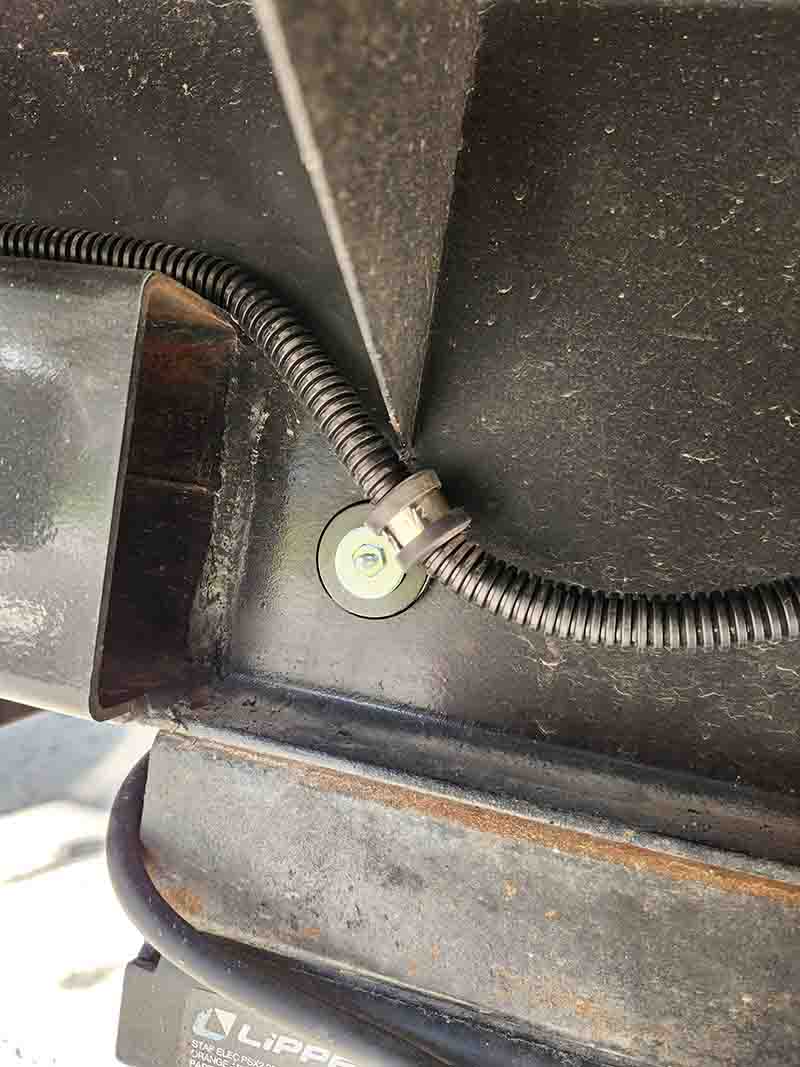
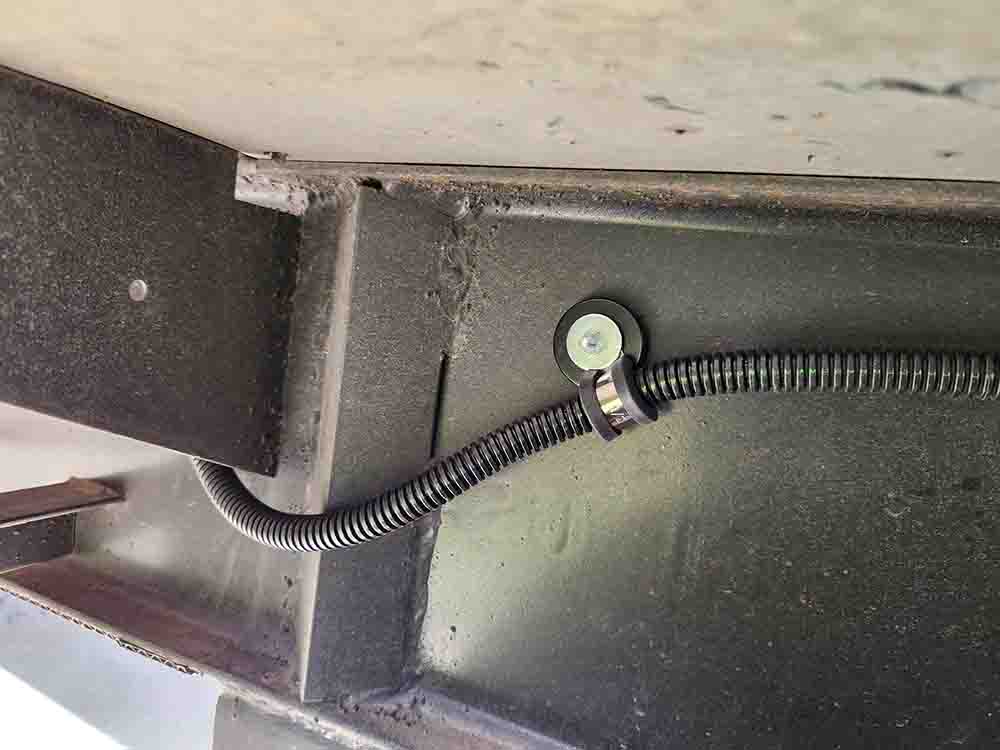
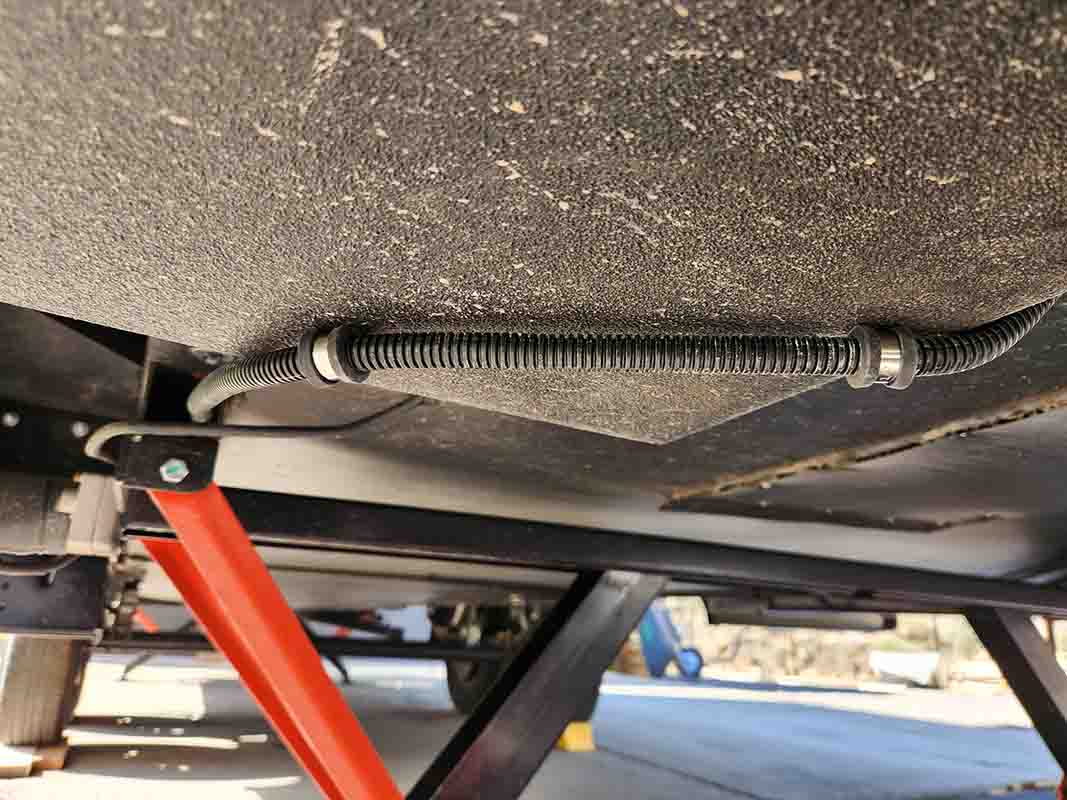
So getting the wire to the front of the trailer was easy, only input from us is to make DANG SURE you know where that magnet is going BEFORE putting it in place, because 150lb Neodymium magnets are not easy to move or get off, so once they decided where they want to go, that's where they are going to stay. ALSO, DO NOT, repeat, DO NOT get your fingers or any skin between said magnets and the metal they are quickly attaching themselves to or said skin will be missing before you know it even happened...
So as the wire that comes with the camera kit was much longer than we need, and you cant cut it shorter, we made use of the area around our storage box behind the LP tanks on the tongue of the trailer to wrap the excess wire around before routing it under the tongue jack and above the hitch to get it to the back bumper of the truck. Notice the pics below and how we used the magnets and clamps to make a clean transition from the trailer to the bumper of the truck using the main plug for the rest of the trailer lights and such.
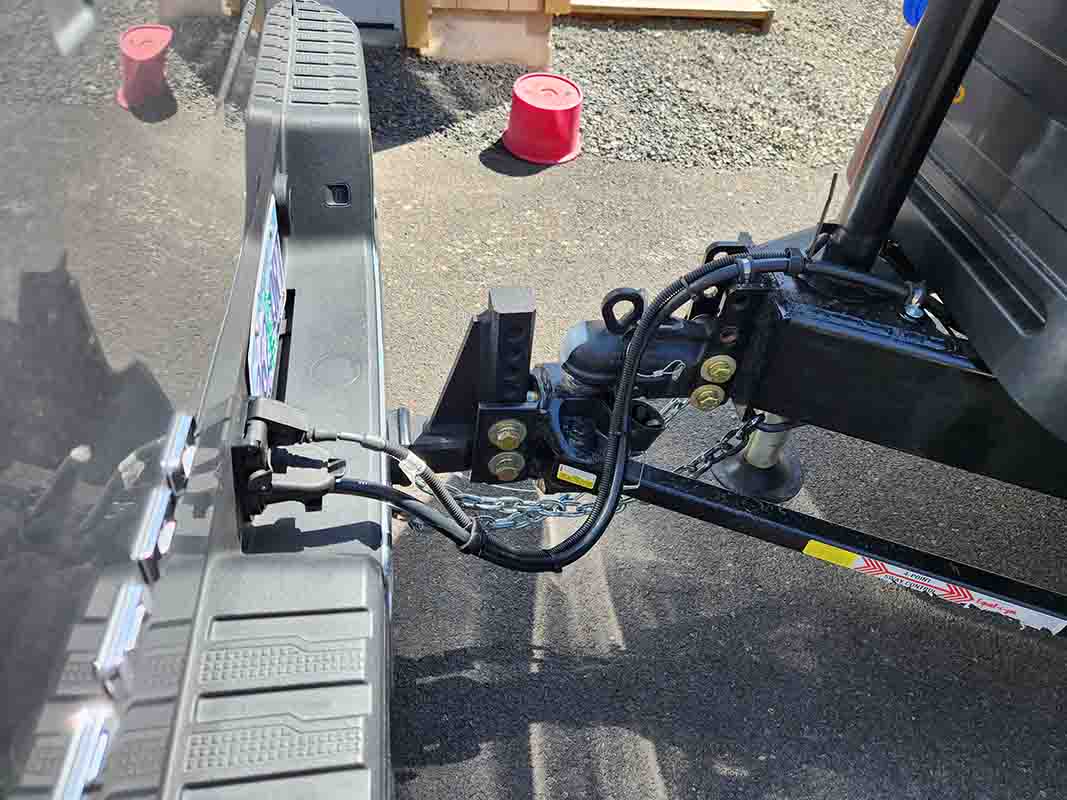
OK, so the camera is installed, the wires are run, and now it is time to do the setup and calibration so that the camera and truck communicate correctly to make this entire system work. Remember, this is not just a rear view camera, it is an integrated part of the entire truck camera system so the installation and calibration is done through the truck itself. The kits comes with a fairly comprehensive set of instructions, BUT, do some research first BEFORE you get to this stage of the installation. There is a certain way and procedure to go through to make this system work correctly, including driving in a straight line at less than 25mph to let the truck system and trailer camera communicate correctly. Once the setup is complete, your infotainment screen on the dash makes this whole flipping camera system as seamless as using any of the rest of the cameras on your truck!
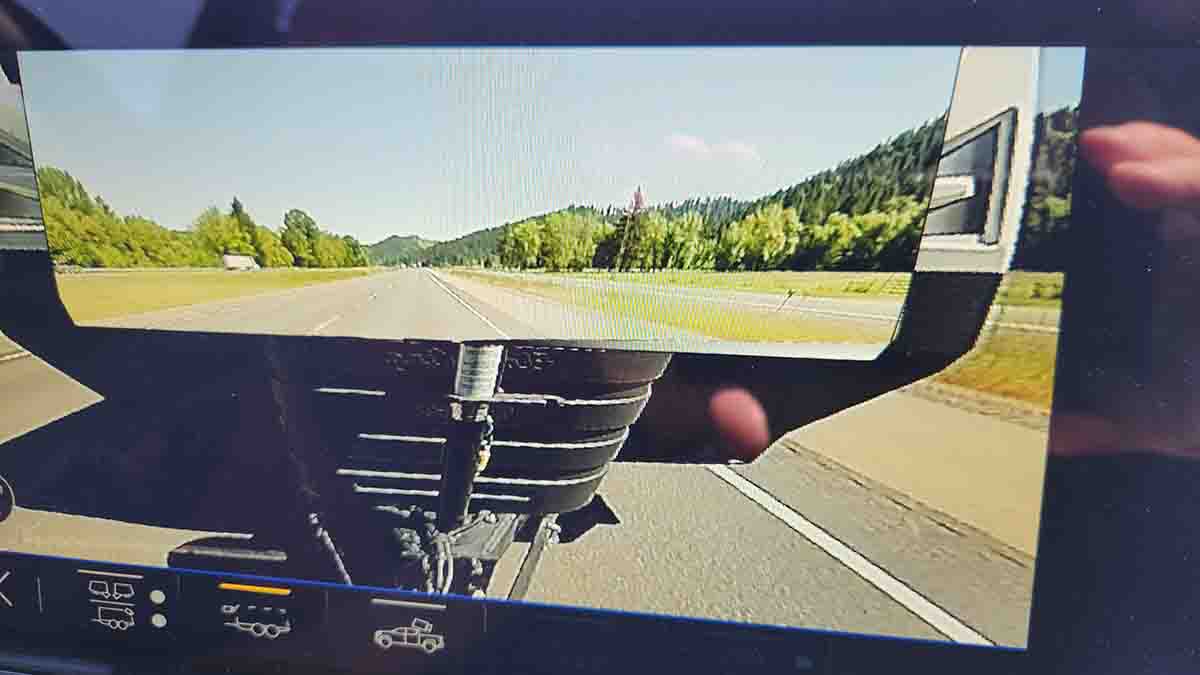
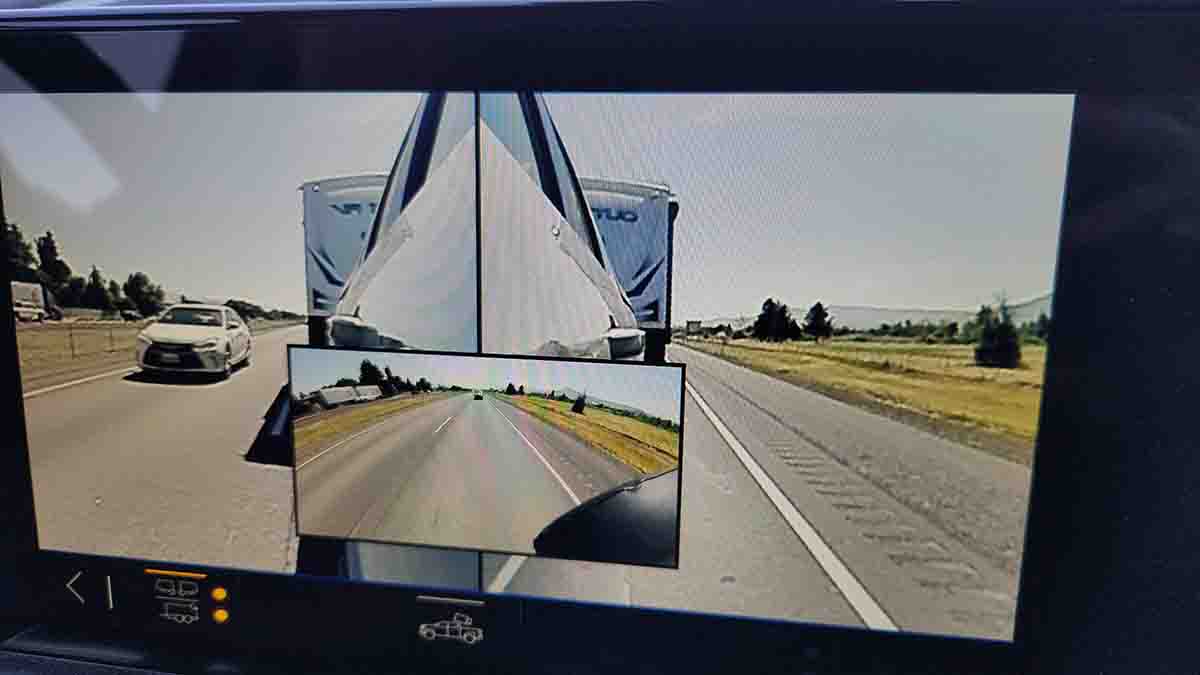
How the heck can you see through your trailer? Well Chevy wants to keep that a secret, and all we can say is... "Electronic Magic"... But, the magical "invisible trailer" view above makes it seem like you are looking through your trailer. So this is the part of the system they use as a "hook" to lure you in to buying the camera, but for us, in reality, it is just a gimmick and not the true "gem" of this camera system. It's cool and all, but the real useful view is the three camera view that incorporates both side truck cameras and the rear trailer camera at the same time. Now your getting a true 180 degree view of everything from the rear of the truck back. This is the start of the real "Integrated" part of the system, and the safety features it incorporates so well.
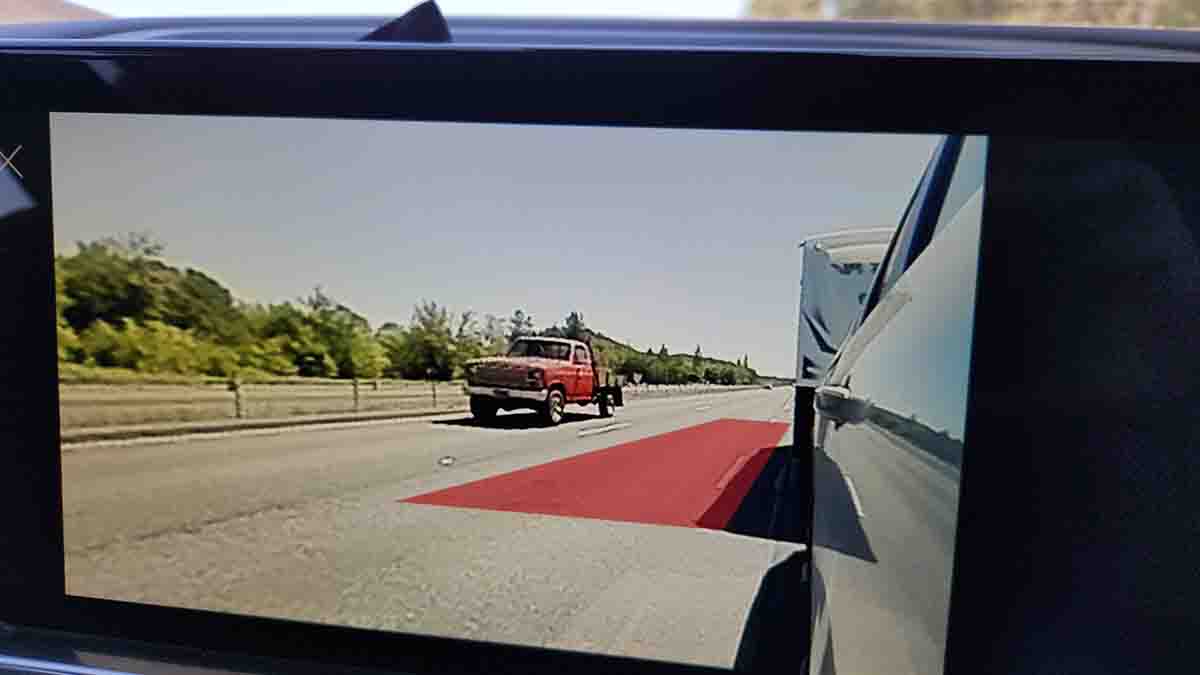
So, a simple glance at the info system on the dash gives you 180 degree view looking back, but to take this system a step farther, lets change lanes, or just urn on a turn signal... When you activate your turn signals it automatically goes from the three image view above to the side view of the direction you are going to turn. It also places a red rectangle in the lane next to you (depending on which way you are turning) that is actually based on your trailer dimensions you enter into the system when setting it up. This lets you know if you have enough clearance to safely change lanes or turn without hitting another vehicle or obstruction. When you turn off your turn signals the system goes back to the three way view automatically. Again this is all automatic using the Chevy integrated camera system, and it works FANFRIGGINTASTIC.... The other thing this system does is when going slow, it changes the view from the 3 camera views to the side when you turn fairly sharp. You can watch for anything in the way on the inside of the turn without touching anything on the dash.
So, to sum this all up, the vast majority of rear trailering cameras out there give you the view below (which by the way is from our Chevy system), and that is it. And you have to have a separate monitor located somewhere around/on the dash to be able to view the camera feed. This integrated Chevy camera system goes so far beyond that it is insane! And one of the best parts is not having to have a separate viewing screen, it's right there on your dash info system!!!
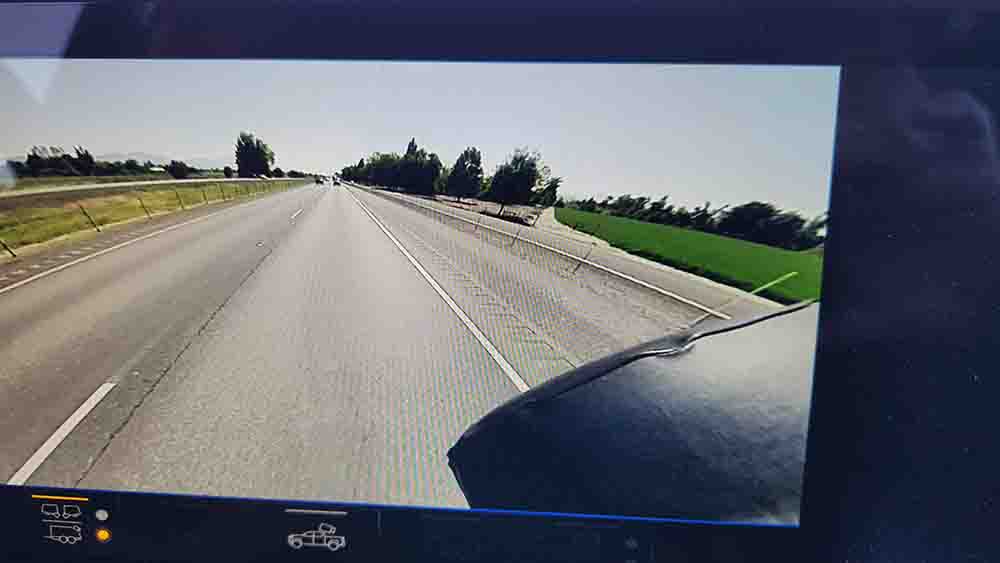
Bottom line, was it worth it??? ABSOLUTELY..... At first I did not want a wired camera, but then as with the TPMS you need a repeater as well as another separate monitor, and that is just two more headaches. I knew all along I wanted this to be part of the Chevy info screen on the dash and not another monitor somewhere on the dash/console. So when I found out about this integrated Chevy camera system it had me hooked as it dotted all the things I wanted and added things I didn't even know existed with a trailer camera. Was it cheap? NO. Was it easy to install, well not that bad at all actually. Did I have to drill holes or anything, not at all as using the magnets made it simple. Did I follow instructions, well no, I did not run the camera/power wire down the side or over the top of the trailer. Chevy does not want you running the cable under the rig, probably because if you tear it off while off roading they do not want to be responsible is all I can figure. Was it easy to set up? Actually it was, just read all the info you can find because the instructions in the kit do not really cover what it takes to calibrate the system before it will work. Once setup it works FANTASTIC, and if you cut the bells and whistles part of the "Invisible" crap, the system is very useful and adds a major part of safety both backing and while on the highway/roads.... Would I do it again? IN A HEATBEAT, I absolutely love it......